admin
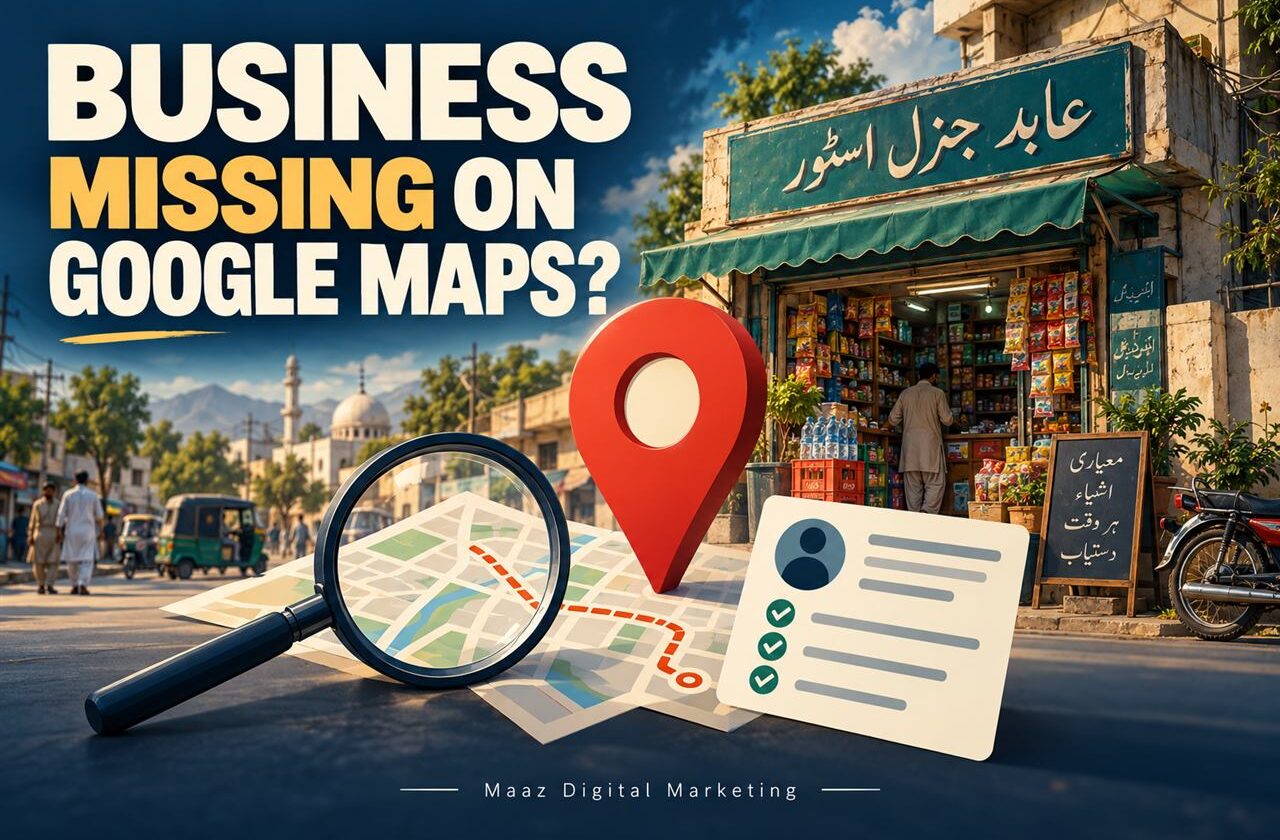
Your business may not appear on Google Maps because its Google Business Profile is unverified, still processing, suspended, ineligible, or missing accurate details. If people find you by business name but not for searches such as “dentist near me,” the issue is more likely local ranking than a missing listing.
Key takeaways
-
First, search your exact business name and city. That tells you if the listing is missing or simply not ranking for broader searches.
-
Check your profile’s verification, restrictions, business category, address, and service-area settings before changing anything.
-
New profiles and edits may need time to appear. Repeatedly creating profiles can make ownership or duplication issues worse.
-
Google says local rankings mainly consider relevance, distance and prominence. No agency can buy or guarantee a top Maps position.
-
If the profile is suspended, follow Google’s appeals process. If it is visible but outranked, focus on a sensible local SEO plan.
A clinic in Qasimabad, a restaurant in Latifabad, and a repair service in Hyderabad can all face the same frustration: customers say they cannot find the business on Google Maps. But not every missing appearance has the same cause. Making the wrong fix can waste time or even create a second profile you do not need.
Start with a quick diagnosis instead of immediately changing your business name, adding keywords, or paying someone who promises a number-one ranking.
First, check what “not showing” actually means.
Sign in to the Google Account that manages your business profile. Search Google for your exact business name plus your city, then repeat the search in Maps. If you manage several locations, select the relevant profile. Google explains these methods in its guide to finding your business profile.
| What you see | What it usually means | Check next |
|---|---|---|
| No listing for the exact name | The profile may not exist, may be unverified or may be restricted. | Account access, verification, and policy status |
| A listing exists, but you cannot manage it | Another account may own it, or it may be unclaimed. | Claim or request ownership |
| The listing appears by name, not by service | The profile is public, but local relevance or ranking may be weak. | Category, proximity, website, and reviews |
| Listing recently changed or opened | Google may still be processing information or establishing rankings. | Status and elapsed time |
Use the symptom that matches your business. A listing that does not appear even for its exact name requires a different response from one that ranks below nearby competitors.

Seven reasons your business may not show on Google Maps
1. The Business Profile has not been verified
Verification is the first place to check. Google says business information is eligible to display on Maps and Search after verification. Sign in, open the profile and look for the “Get verified” option or a status message.
Follow the method Google offers, which may include video, email, phone, or another method depending on the business. Google selects the available verification methods; businesses cannot simply demand a preferred one. After submission, its review can take up to five business days, sometimes longer.
If you never created a profile, start through Google’s official business setup process. If an existing profile belongs to the business, claim it instead of opening another listing.
2. Your profile is new or an edit is still processing
A newly verified listing does not necessarily rank immediately for every relevant search. Google says rankings for new businesses can take up to a month to appear in search results, while edits usually take up to 10 minutes to review but can sometimes take up to 30 days. These are guidance windows, not promises of a specific ranking date.
Check the profile status and the public listing, then allow the relevant processing period. Avoid repeatedly changing core details just to force an update.
3. The profile is suspended or disabled
A suspended or disabled profile can disappear from public view. Check the Google Account that manages it for notices and review the stated issue. Common eligibility or guideline concerns can include inaccurate business representation or an address that does not meet Google’s requirements.
If the decision is wrong, use the official Business Profile appeals tool and prepare appropriate evidence, such as business registration or utility documents that match your real business details. Google warns not to create another profile for the same business while appealing. No agency can guarantee reinstatement.
4. The business is ineligible, or the address is set incorrectly
Google Business Profiles are intended for eligible businesses that interact with customers in person during stated hours. Online-only businesses generally do not qualify. A home-service business may qualify without displaying its street address when it visits customers at their locations.
For example, an electrician serving Qasimabad and Latifabad should not show a home address as a walk-in shop if customers are not received there. Set the correct service-area arrangement rather than using a rented mailbox or an unstaffed virtual office as a storefront.
5. Another profile already represents your business
You might discover an older listing created by a previous employee, a duplicate, or a profile claimed through another Google account. Search the business name, past address, and phone number before creating anything new.
Use Google’s ownership-request or duplicate-resolution processes. Do not assume that two listings will give you twice the visibility. Two records for the same real-world business can create confusion and ownership problems.
6. Important business information is incomplete or inaccurate
Check your primary category, business name, phone number, hours, website, address or service area, and services. Select categories that describe what the business actually does. A dentist should not choose unrelated categories merely because they seem popular.
Make sure the website reflects the same real business and location. If you are a clinic, have useful pages for actual services, with clear contact information and directions or service-area details that fit the business.
7. You appear by name but competitors outrank you
This is a ranking problem, not a missing-profile problem. A verified profile can appear for its own brand name but not make the first three map results for “best dentist in Hyderabad” or “AC repair near me.” Google may show different results to searchers in different locations.
Work on relevance, proximity-sensitive targeting and reputation rather than attempting to force a listing into every part of the city.
| Not sure which issue applies?
Maaz Digital Marketing offers a free initial review of online visibility for businesses in Hyderabad and across Pakistan. Share your business name, city and website so the team can identify the most useful next checks. |
How to improve your Google Maps ranking
When the listing is public but not competitive, Google says local results are mainly based on relevance, distance and prominence. A complete profile helps Google understand your business, but distance remains outside your control for many searches.
| Ranking factor | What it means | Useful action |
|---|---|---|
| Relevance | How closely your profile matches the query | Use accurate categories, services and descriptive business information |
| Distance | How close the business is to the searcher or searched place | Represent the true location or legitimate service area |
| Prominence | How established or well known the business is | Earn genuine reviews, relevant mentions and useful website links |
Make the profile useful for real customers
Complete your opening hours, contact details, category, service descriptions, and photos that accurately show your workplace, products, or team. Keep holiday hours updated. Encourage genuine customer reviews and respond professionally without purchasing or fabricating reviews.
These actions help customers make decisions and support a clearer business presence. They do not automatically place you above every competitor.
Connect the listing to helpful local website pages
A website can answer questions too detailed for a Maps listing. A dental clinic might explain its services, booking process, and actual location, while a restaurant could publish its menu, opening hours and ordering information.
For businesses serving patients in Hyderabad, Maaz Digital Marketing also explains its approach to local marketing for clinics and dentists. That industry page is a service resource, not a substitute for correcting a suspended or unverified Business Profile.
Check visibility from more than one location
Search results can change between Latifabad, Qasimabad and other areas because distance matters. A single search on your own phone does not describe how the whole city sees your business. Compare searches from realistic customer areas, and assess visibility across relevant services rather than one broad phrase.
| Already visible but not getting calls?
If your profile shows up by name but loses service searches to competitors, Maaz Digital Marketing can review your local SEO priorities, Google Business Profile information and relevant website pages. |

A practical Google Maps troubleshooting checklist
Before requesting help, record what you have found. This avoids making unnecessary edits and makes it easier for an SEO specialist or Google support to assess the problem.
-
Search the exact business name and city on Google Search and Maps.
-
Confirm you are signed into the account that owns or manages the profile.
-
Check for verification requests, suspensions, restrictions or duplicate notices.
-
Confirm the correct business category, contact details, and location or service-area settings.
-
Check when the profile was created or the latest material edit was submitted.
-
If the listing is public, test actual service searches from relevant customer locations.
-
Look at Business Profile performance for useful indicators such as searches, calls, website clicks and direction requests, where available.
Google’s Business Profile performance report can show searches and interactions, but a call-button click is not the same as a confirmed sale. Keep separate records of real leads and bookings where possible.
How long does it take to fix Google Maps visibility?
The cause determines the timetable. Verification reviews can take up to five business days under Google’s standard guidance. Business Profile edits usually take up to 10 minutes to review, but some can take up to 30 days, and a new business may take up to a month to establish rankings. Appeals and competitive SEO improvements do not have a reliable universal deadline.
If the profile is suspended, prioritize a compliant appeal. If the profile is verified and publicly visible, measure local SEO progress over time instead of assuming each ranking movement is caused by one edit.
Should you contact Google support or an SEO agency?
Use Google’s official support and appeals channels for failed verification, suspensions, duplicate or ownership problems, and platform decisions that only Google can resolve. A marketing agency cannot override those decisions.
For a public profile with weak visibility, a local SEO specialist can help assess keyword targeting, categories, website content, location pages, reviews, and measurement. The aim should be more relevant customer inquiries, not an unsupported promise to rank number one.
Frequently asked questions
Why is my verified business not showing on Google Maps?
Verification does not guarantee immediate or prominent placement for every search. Check whether the listing appears by exact business name, whether a suspension notice exists, and how recently the profile changed. Then assess local ranking separately.
How do I add my business to Google Maps for free?
Go to Google’s official Business Profile setup page, add accurate business information and follow the verification steps offered. Creating and claiming a Google Business Profile is free. Check for an existing profile first to avoid duplicates.
Can I pay Google to rank first on Maps?
No. Google says businesses cannot request or pay for better organic local rankings. Advertising can produce separately labeled placements, but it does not purchase a top position in unpaid Maps results. Be wary of ranking guarantees.
Does a service-area business need to display an address?
Not always. An eligible service-area business that visits customers can hide its street address and set an appropriate service area. A genuine customer-facing storefront can display its address when it meets Google’s location and staffing requirements.
Will getting more Google reviews fix my visibility?
Genuine reviews can support trust and local prominence, but they cannot fix an unverified, suspended, or ineligible profile. First resolve listing eligibility and accuracy. Then request honest feedback and respond appropriately without incentivizing or fabricating reviews.
Why does my business show in one area but not another?
Google uses the searcher’s location as part of local ranking. A business in Qasimabad may be more visible nearby than across Hyderabad. Compare searches from realistic customer areas and improve relevance without claiming false locations.
How do I know my Google Maps SEO is working?
Track relevant profile searches, calls, website clicks, and direction requests where available. Combine those indicators with actual enquiries, appointments, or sales. Look for sustained improvements and account for seasonality rather than judging one isolated ranking screenshot.
Get your business found by the right customers
If your business does not appear on Google Maps, start by identifying the real problem: eligibility, verification, a restriction, incorrect information, or weak local ranking. Fixing the cause is more useful than chasing generic “Google Maps tricks.”
Maaz Digital Marketing supports local businesses in Hyderabad, Sindh, and across Pakistan with Google Business Profile optimisation, local SEO and practical lead-focused reporting. Share your business name, area, and website, and we can discuss the next priorities without promising a fixed ranking.
| Find out what is holding you back
Request the free, no-obligation visibility review offered on our contact page. Tell us what customers search for and where your business operates. |