admin
Your website gets visitors, but the enquiries aren't improving. Or your products look ready to sell, yet customers can't find them. An SEO audit helps you work out where the problem starts and which changes deserve your budget.
How do you perform an SEO audit for a real business website? Start with business goals and reliable measurement. Check discovery, indexing, technical performance, content, internal links, and search competition. Then turn verified findings into a prioritized plan with an owner and a way to test every fix.

This guide covers service websites and online stores. The worked examples are illustrative, not claims about an audited client. Credited tool screenshots explain where to look; interface layouts can change. Maaz portfolio screenshots are identified separately.
What should an SEO audit tell a business owner?
An SEO audit should explain which website problems limit search visibility, which pages deserve attention, and what to do next. A useful report connects evidence to business priorities, assigns responsibility, and defines how each fix will be checked. A tool score alone doesn't provide that decision-making context.
Imagine an online office-furniture store. Its buying guides attract readers, but an important desk category is accidentally excluded from indexing. That exclusion deserves attention before rewriting descriptions on old news posts. The business needs customers to find products it can actually supply.
Your audit should answer four practical questions:
- Can search engines discover and access the pages customers need?
- Do those pages explain the offer clearly and match relevant searches?
- Can visitors complete the inquiry or purchase journey?
- Can the business measure the outcome accurately?
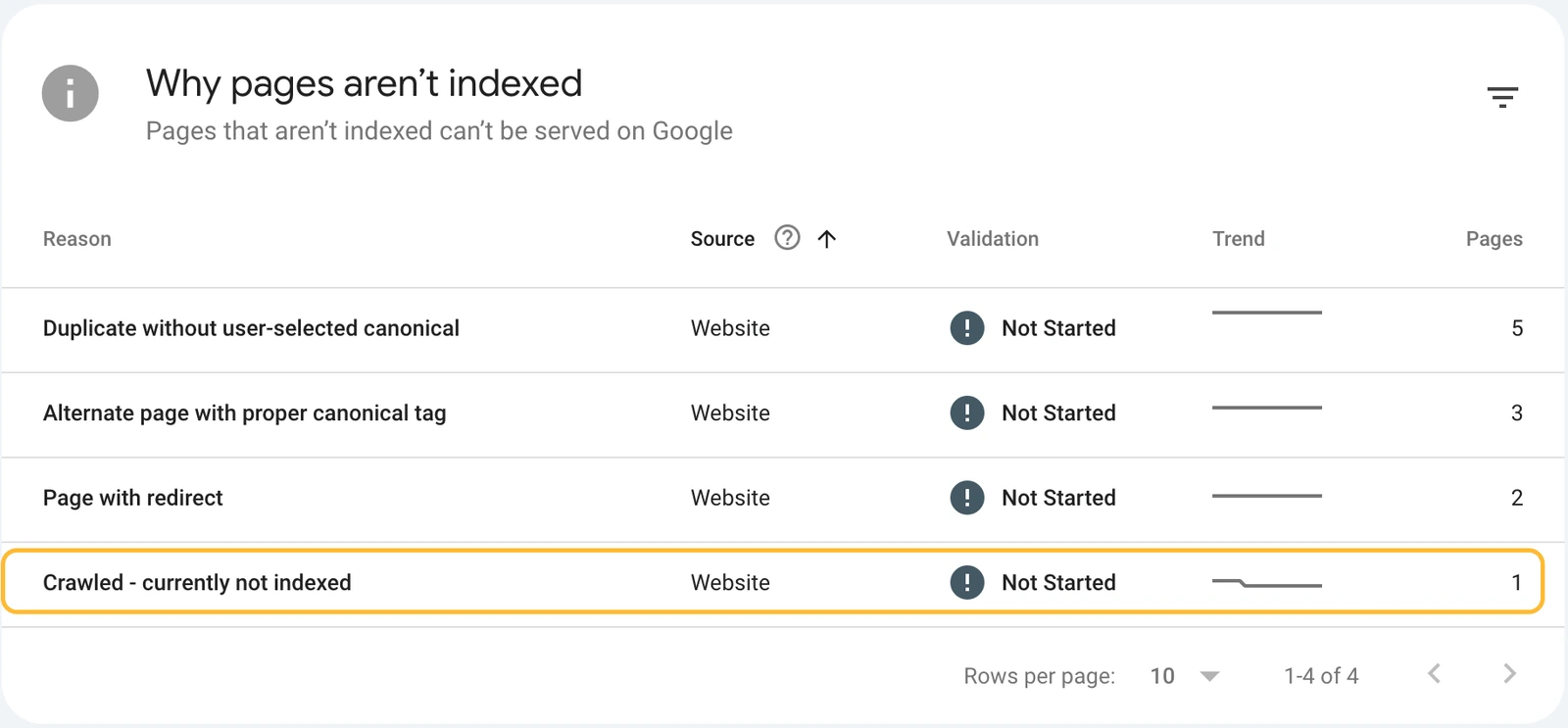
Screenshot guide: Start with evidence like this page indexing report, then investigate affected URLs. An excluded-page count doesn't show business impact by itself.
What do you need before starting an SEO audit?
Before starting an SEO audit, define the website's commercial goals, identify important pages, and collect access to its measurement tools. Record the target markets, recent website changes, and known problems. This preparation helps you distinguish meaningful opportunities from warnings that have little relevance to the business.
Which business goals and website pages should you prioritize?
Prioritise pages that support the business's actual offer and measurable outcomes. For a service company, that might mean qualified inquiries and booked appointments; for a store, it might mean completed purchases. Choose important landing pages using commercial relevance, customer demand, availability, and existing performance, rather than traffic alone.
Create a short scope sheet: website URL, target country, main products or services, conversion definition, priority pages, and recent redesign or migration dates. Ask the owner which leads are valuable and which products have stock and workable margins. Don't treat an unqualified form submission as a sale.
Which tools and access do you need?
Use Google Search Console for search visibility and indexing evidence, Google Analytics 4 for recorded visitor activity, and a crawler for website-wide checks. PageSpeed Insights and the Rich Results Test support specific investigations. Start with read-only account access; implementation permissions aren't necessary just to diagnose and report issues.
- Confirm you're viewing the correct Search Console property and GA4 property.
- Record the reporting timezone and date range.
- Run a crawler on the agreed domain with settings appropriate to the site.
- Include sitemap URLs and other known URLs when checking for orphan pages.
- Save exports so later comparisons use the same scope.
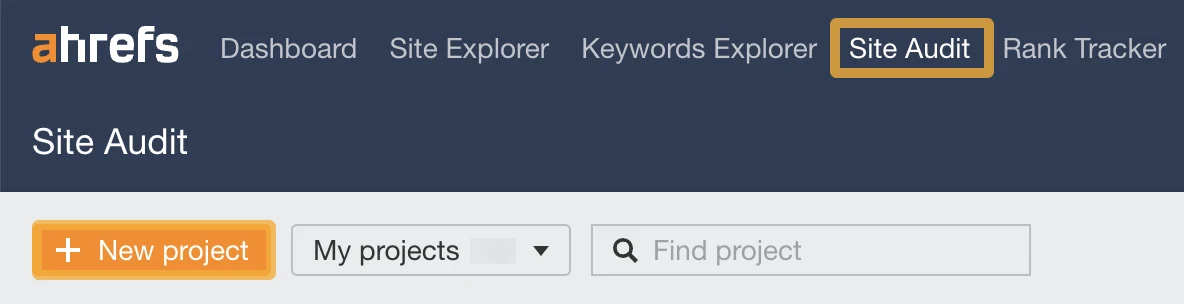
Screenshot guide: Start a project with your chosen crawler and confirm its scope. This is an Ahrefs example; equivalent setup differs by tool. Source: Ahrefs audit tutorial.
A public-only audit can inspect accessible pages, but it can't establish private conversion data or Google's account-specific indexing reasons. Flag those gaps instead of guessing.
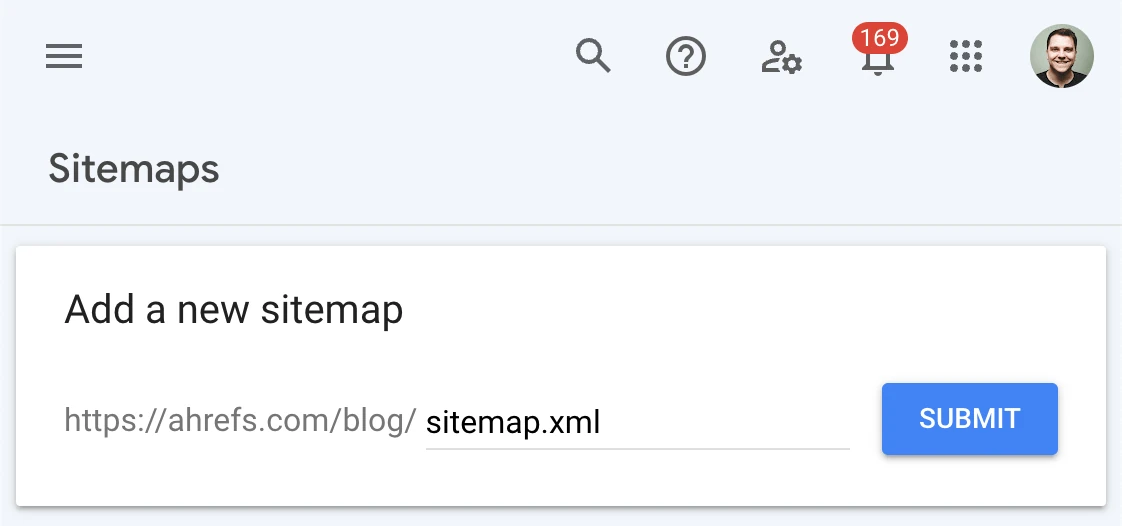
Screenshot guide: The Sitemaps report helps you locate a submitted sitemap for your crawl inventory. Submission doesn't guarantee indexing. Source: Ahrefs Google indexing guide.
Want help finding what's holding your website back? Send your website link to Maaz Digital Marketing on WhatsApp. Tell us your main product or service and the market you want to reach.
How do you measure your website's current SEO performance?
Measure current SEO performance by combining search visibility with verified business outcomes. Record clicks and impressions in Search Console, then review relevant organic sessions, leads, or purchases in analytics. Use consistent date ranges and explain tracking gaps so the audit starts with a baseline the business can trust.
What should you check in Google Search Console?
Check clicks, impressions, click-through rate, and average position for the pages and queries relevant to your business. Compare equivalent periods, then investigate changes by country, device, and page. Separate branded searches where practical, and account for seasonality before attributing a movement to an SEO problem or improvement.
Open Performance, choose Search results, and set a comparison period. Start with the Pages tab to find affected landing pages. Select an important URL, then inspect its queries. A click decline with stable impressions needs a different investigation from a page that has stopped appearing entirely.
Record major promotions, stock changes, redesigns, and reporting changes alongside the trend. An algorithm update date is context, not proof of the cause.
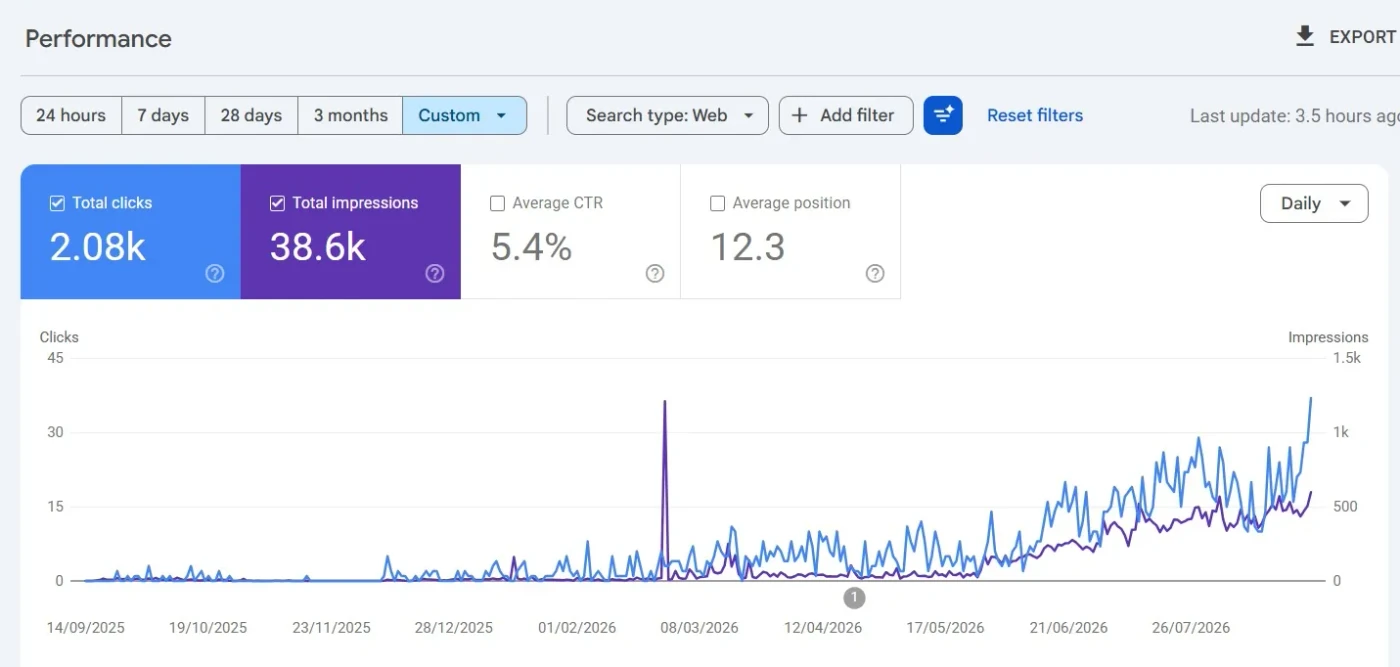
Portfolio context: This public Maaz example displays 2.08K clicks and 38.6K impressions. Use the metric cards to understand the report; the screenshot doesn't provide a complete before-and-after audit comparison. Source: Maaz portfolio.
How do you connect organic traffic to leads and purchases?
Connect organic traffic to outcomes using correctly configured analytics events and clearly identified traffic-source dimensions. Review relevant landing pages, lead events, and purchases, then check event accuracy against business records. Keep session acquisition separate from first-user acquisition because those reports answer different questions about how customers arrived.
In GA4, open Traffic acquisition and inspect Session default channel group or Session source / medium. Filter to the relevant organic source. Check that a lead event fires after a successful submission, not simply after someone opens a form. For stores, validate transaction IDs, revenue values, currency, and duplicate purchase events.
Google explains that the Traffic acquisition report uses session-scoped dimensions and differs from User acquisition. Search Console clicks and GA4 sessions aren't expected to match exactly.

Screenshot guide: The source filter narrows the report. Confirm the session dimension before interpreting its metrics.

Portfolio context: The displayed google / organic row contains 59 purchase events and $7,215.60 in total revenue, with a first-user source dimension. It isn't proof that all those purchases happened in organic sessions; the date range and currency code aren't visible. Source: Maaz portfolio.
How do you check whether Google can crawl and index important pages?
Check important URLs individually in Search Console, then use the page indexing report to find repeated patterns. Review crawl access, indexing permission, canonical selection, and sitemap inclusion. Focus on pages intended for search: an excluded account page or duplicate URL doesn't automatically represent a problem that needs fixing.
How do you inspect an individual URL?
Paste the full page URL into Search Console's inspection bar and review Google's indexed information. Check the indexing status, crawl details, and selected canonical, then run a live test when investigating the current page. The live result helps diagnose access but doesn't guarantee indexing or predict Google's canonical choice.
- Choose an important category, product, or service URL.
- Record its indexed status and reported reason if excluded.
- Compare the user-declared canonical with Google's selected URL.
- Run the live test after a fix and inspect the tested page.
- Request indexing when appropriate, then monitor the indexed result later.
See Google's URL Inspection documentation for the difference between stored and live information.
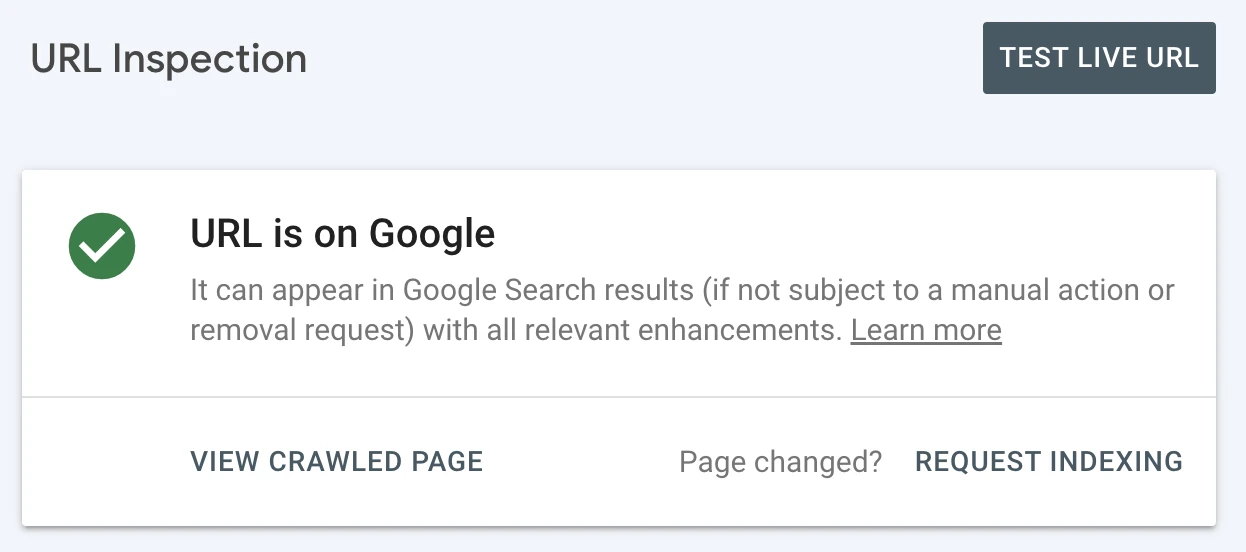
Screenshot guide: The indexed status is the starting point. Expand the underlying details before deciding that a missing search result is a ranking problem.
Which excluded pages actually need attention?
An excluded URL needs attention when the business wants that page in search and its exclusion isn't intentional. Investigate important pages blocked by noindex, unexpected canonical choices, access failures, and persistent discovery problems. Leave deliberate exclusions alone when they protect private, duplicate, or low-value areas of the website.
For the office-furniture example, a noindexed desk category is a likely priority. A noindexed shopping basket usually isn't. Record intent alongside every exclusion. Robots.txt controls crawling; it isn't a reliable substitute for a noindex directive. Google generally needs crawl access to read a page's noindex instruction.
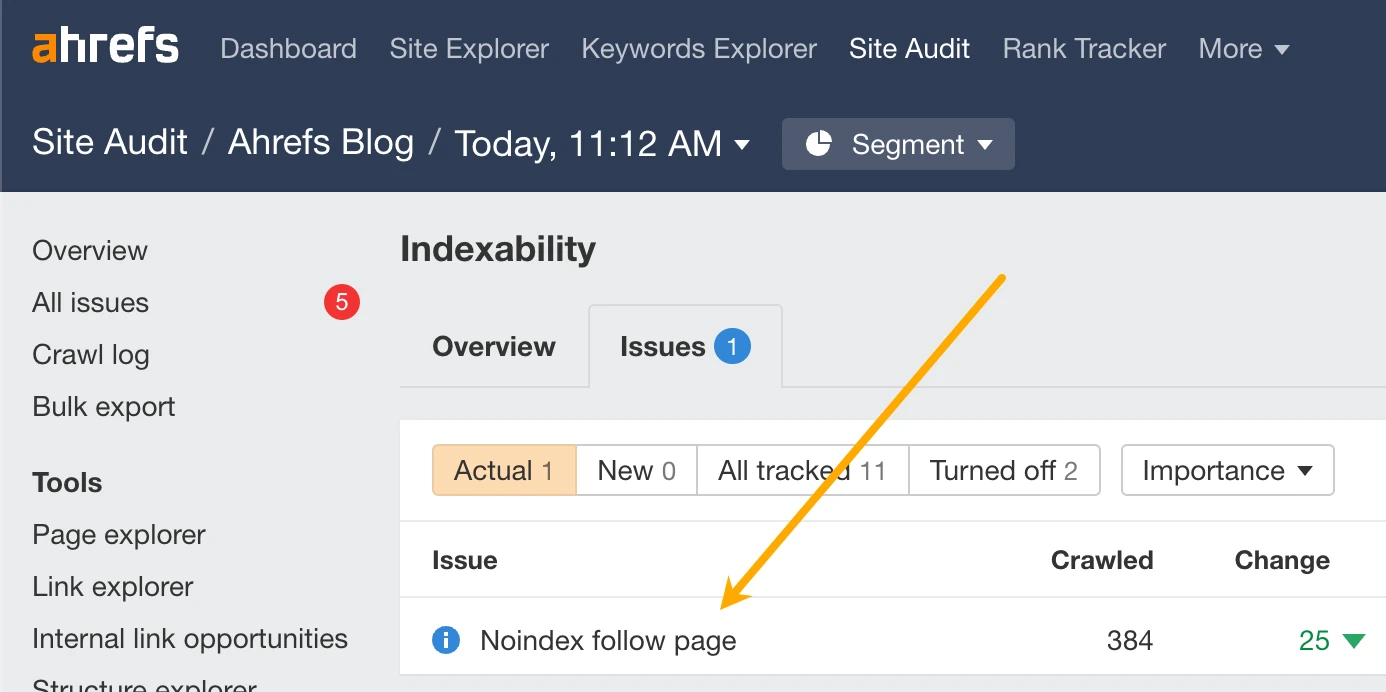
Screenshot guide: Open the affected URLs and confirm which should appear in search before changing directives. Source: Ahrefs Google indexing guide. Technical reference: Google's robots meta tag guidance.
Which technical SEO problems should you investigate first?
Investigate technical problems that prevent important pages from loading, being discovered, or presenting the intended content. Prioritise widespread server failures, accidental indexing restrictions, incorrect redirects, and conflicting canonical signals. Confirm each issue on representative URLs before recommending a site-wide change, especially when a shared template affects many pages.
How do you find broken pages, redirect problems, and server errors?
Use a crawler's response-code report to identify failed requests, redirect chains, and broken internal destinations. Verify important examples in a browser and check their business purpose. Restore a useful page or redirect it to a genuinely relevant replacement; a removed page without a replacement can legitimately return an error status.
Export the affected URL and the pages linking to it. A broken contact link deserves a clear owner and a quick fix. A deleted campaign URL with no links or continuing purpose may need no action. Don't redirect every missing URL to the homepage.
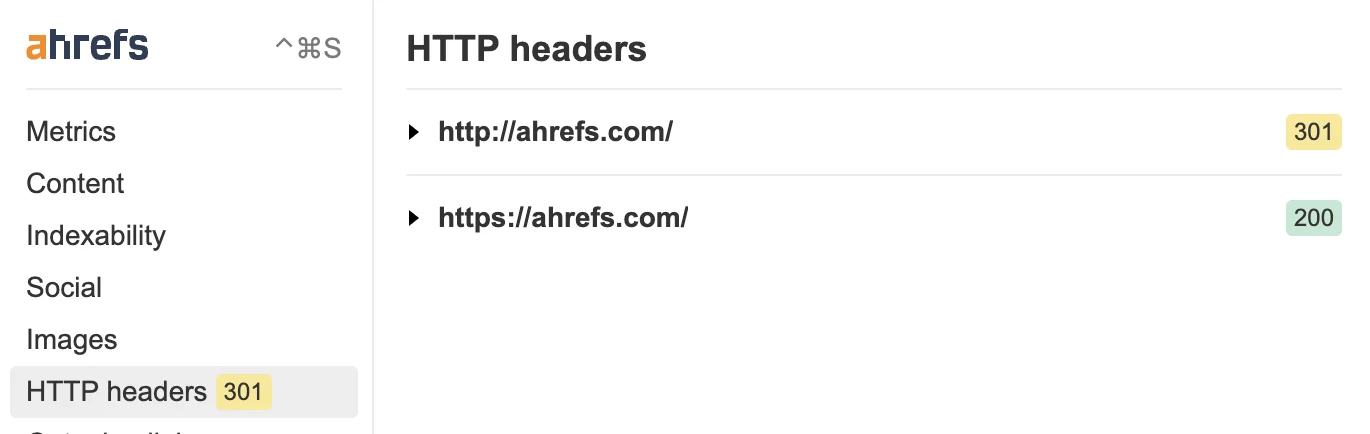
Screenshot guide: Follow the response sequence and confirm that the destination is the intended page.
How do you check canonical tags and duplicate URLs?
Compare canonical declarations, internal links, sitemap entries, and redirects for duplicate or near-duplicate URLs. They should consistently support the intended preferred page. Check Google's selected canonical in Search Console when available, and investigate disagreements rather than assuming that adding a canonical tag forces Google to accept your choice.
Test HTTP and HTTPS, www and non-www versions, tracking parameters, and product variants where relevant. Don't canonicalize all category pagination to page one if the pages contain different products. Google's canonicalisation guidance describes redirects and canonical annotations as strong signals, not guarantees.
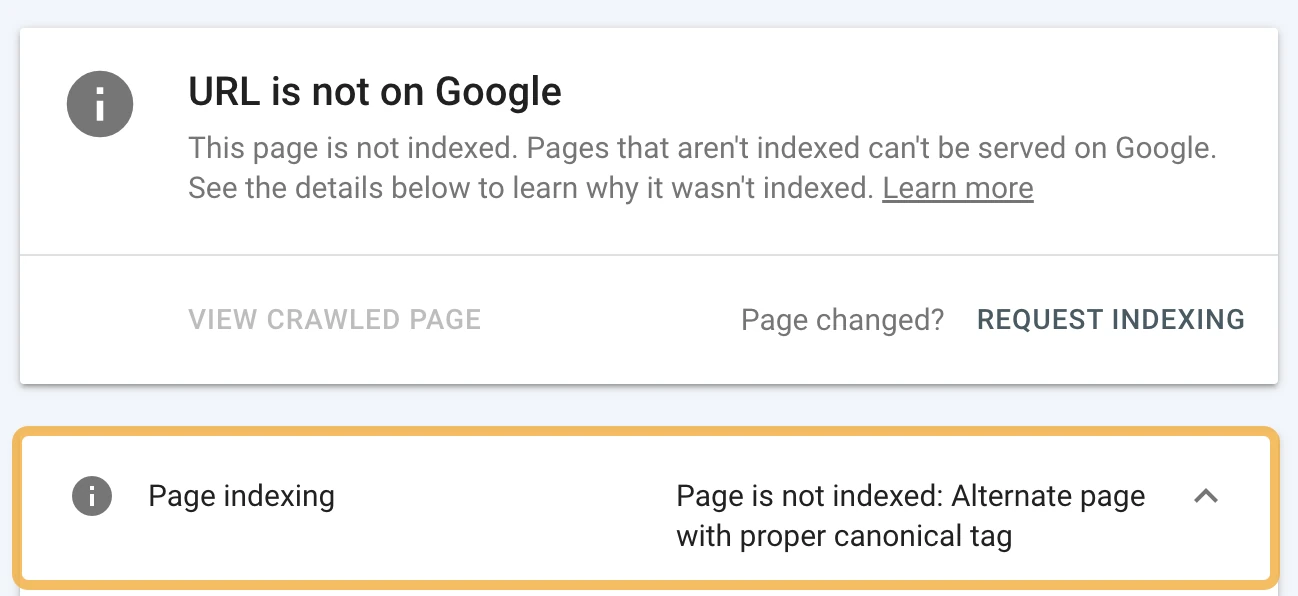
Screenshot guide: Compare the declared and Google-selected canonical. Then check that the selected page represents the content customers should find.
Can Google access your main content and navigation?
Check the tested page in URL Inspection to see if important text, product information, and navigation are available to Google's inspection tool. Investigate missing content and failed resources, especially on JavaScript-heavy sites. Also test the page yourself on mobile because crawler access doesn't prove that a customer can use it comfortably.
Look for product information that appears only after interaction, links without usable destinations, and content hidden behind an unnecessary login. Compare what the visitor sees with the rendered HTML and screenshot. Google's JavaScript troubleshooting guide provides investigation methods.
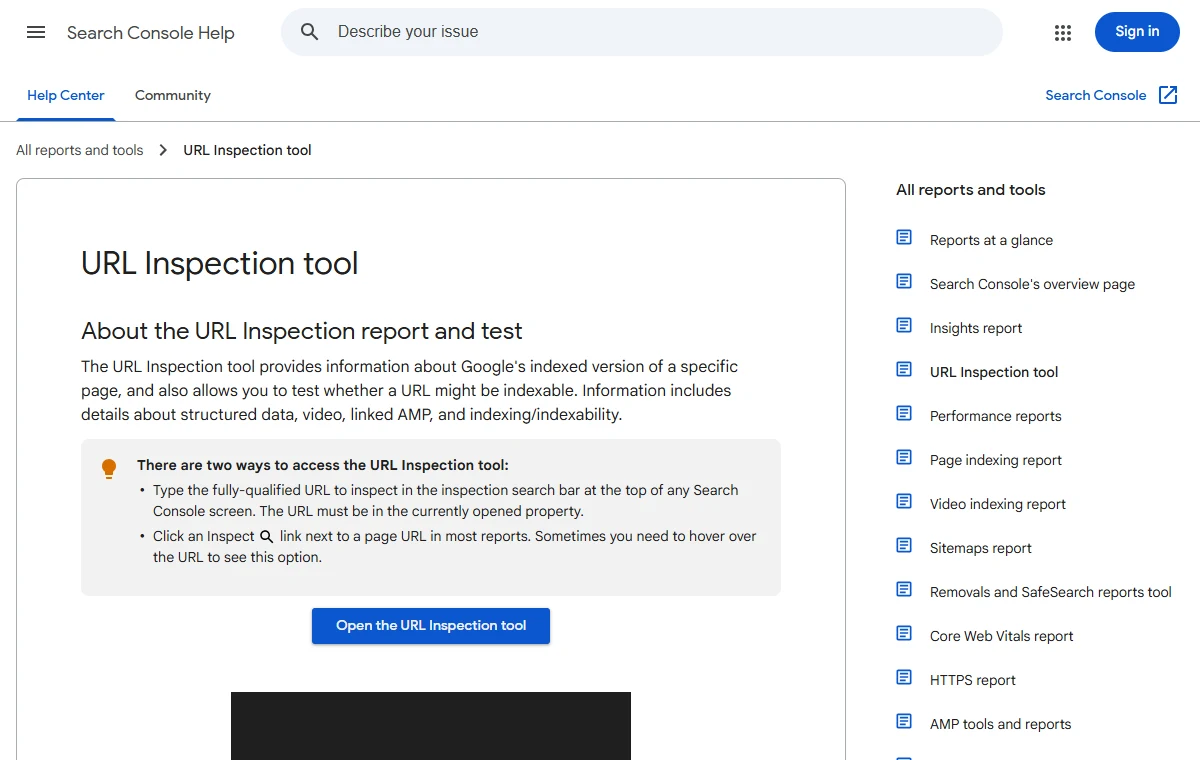
Screenshot guide: Google documents the indexed and live inspection modes here. Use the live test to access the rendered-page view; this screenshot is documentation, not a client test. Source: Google Search Console Help.
How do you audit site structure and internal links?
Audit site structure by tracing how visitors and crawlers reach important pages from navigation and related content.
Find broken links, isolated pages, and unclear paths between topics. Add links where they help users make progress, using descriptive wording that identifies the destination without forcing the same keyword into every link.
An orphan page has no incoming internal links in the inventory being examined. A homepage-only crawl may never discover it, so compare crawl data with sitemaps, CMS exports, or known landing pages.
For the office-furniture store, connect a useful desk-size guide to the relevant desk collection. Keep the link near the advice it supports. Check breadcrumbs and category navigation so visitors can move between broader and more specific pages.
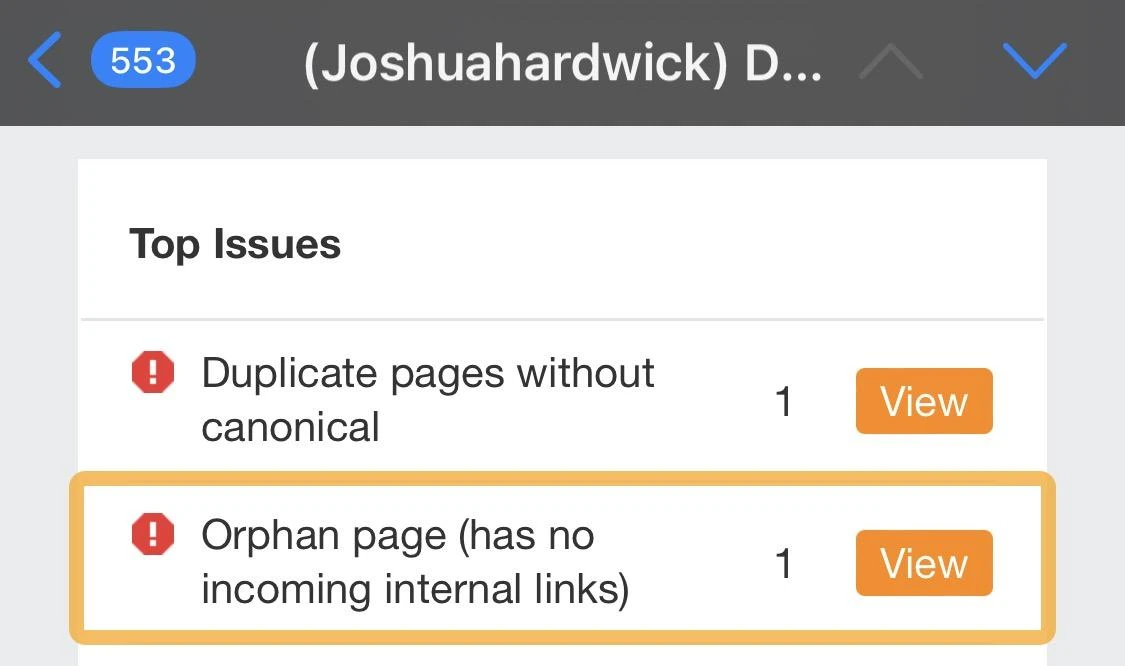
Screenshot guide: Investigate how each listed page should fit into the website before adding navigation links. Source: Ahrefs Google indexing guide.
How do you audit page content and search intent?
Audit content by comparing the purpose of each important page with the needs behind its target searches. Check that the page explains the offer, answers purchase questions, and provides credible evidence. Then review its title, headings, and overlapping pages so visitors and search engines can understand its distinct role.
Do your pages answer what potential customers need?
Useful commercial pages explain what the customer receives, who it suits, and how to take the next step. Product pages may need specifications, delivery information, and availability; service pages may need scope, process, and relevant work examples. Assess completeness against the customer's decision instead of chasing an arbitrary word count.
Read competing results for the same market and query. Note the page type and unanswered questions, then inspect your own offer. An office desk page may need dimensions, materials, assembly details, and delivery restrictions. A consultancy page may need a clear deliverable and enquiry process.
What should you check in titles, headings, and descriptions?
Check that important pages have accurate, distinctive titles and clear headings that describe their subject. Review descriptions for useful reasons to click, while recognizing that Google may display different text. Investigate duplicated or missing elements at the template level, and avoid repeating keywords where they make the page harder to read.
Illustrative title improvement: Change “Products | Example Store” to “Height-Adjustable Office Desks | Example Store” when that accurately describes the category. The title gives customers more useful information; it doesn't guarantee a particular position.

Screenshot guide: A declining page is a starting point for investigation, not an automatic deletion candidate.
Which pages should you improve, combine, or leave alone?
Improve a page when its purpose is valuable but its information or presentation is weak.
Consider combining pages when they substantially overlap and a single destination would serve visitors better.
Keep pages that fulfill a necessary business function, even with low traffic, and plan redirects carefully before removing useful URLs.
Use the query and landing-page baseline to distinguish missing demand from weak content.
Two pages mentioning the same topic aren't automatically competing harmfully. Check the intent each serves.
Follow Google's people-first content guidance, including clear sourcing and accurate claims.
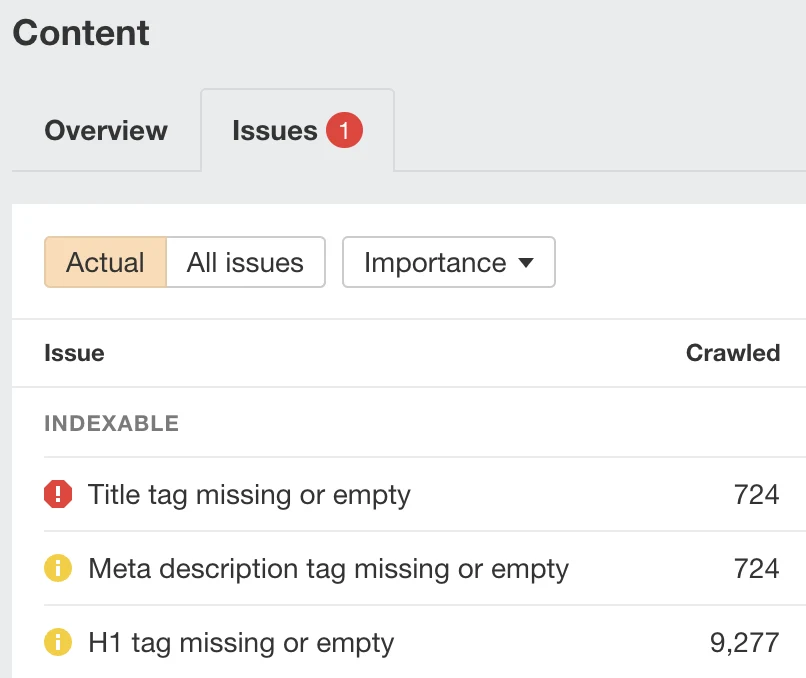
Screenshot guide: Open affected URLs and investigate template causes. Counts describe this external example, not Maaz or your site.
How do you audit mobile usability and page speed?
Audit mobile usability by completing real tasks on a phone, then use PageSpeed Insights to investigate performance. Compare field data with lab diagnostics, inspect important page templates, and prioritise problems that affect customers. A high performance score doesn't prove a page is easy to use or guarantee stronger search rankings.
- Test the homepage, a commercial landing page, and a representative product or service page.
- Check the mobile result and confirm if field data describes the URL or the whole origin.
- Review the measured problem before acting on a suggested optimisation.
- Test menus, forms, product options, and checkout on an actual phone.
- Retest after deployment with comparable settings.
|
Metric |
What it measures |
Good field threshold |
|---|---|---|
|
LCP |
Main content loading |
2.5 seconds or less |
|
INP |
Responsiveness to interaction |
200 milliseconds or less |
|
CLS |
Unexpected layout movement |
0.1 or less |
These thresholds are evaluated at the 75th percentile. PageSpeed Insights field data covers a rolling 28-day period when enough real-user data exists; lab data is useful for diagnosing a specific test run. See Google's PageSpeed Insights explanation and Core Web Vitals guidance.
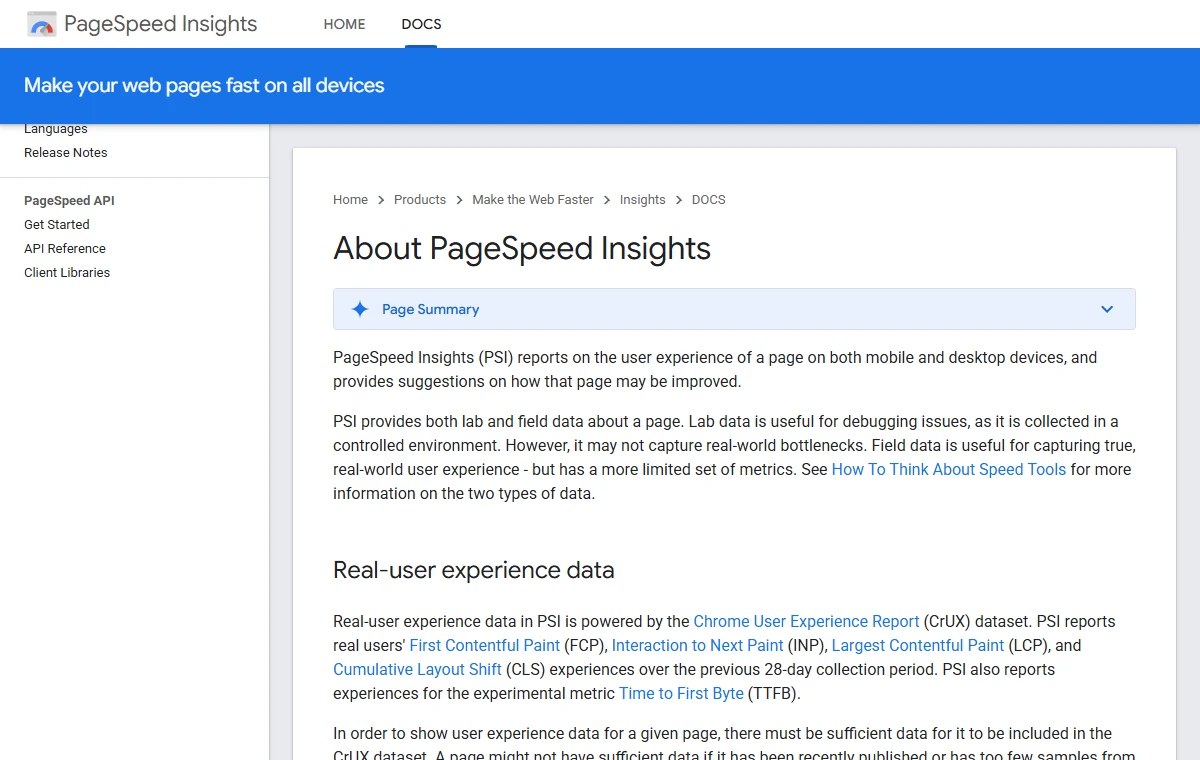
Screenshot guide: Google distinguishes field data from lab diagnostics. Check which data source you are interpreting in your own test.
How do you check structured data and search appearance?
Check structured data with Google's Rich Results Test on representative pages, then compare detected information with what visitors can see. Fix relevant errors and inspect eligible page types individually. Valid markup can support enhanced search presentation, but it doesn't guarantee a rich result or replace useful content and sound technical implementation.
Enter the page URL, run the test, and expand each detected item. Record the affected property, its value, and the template responsible. Product price and availability should match the page; don't invent ratings or reviews. Repeat the test after the fix reaches the live site.
Use Google's structured data introduction and product guidance to confirm current support and requirements. The test focuses on Google-supported rich-result types; it isn't a complete validator for every possible Schema.org type.
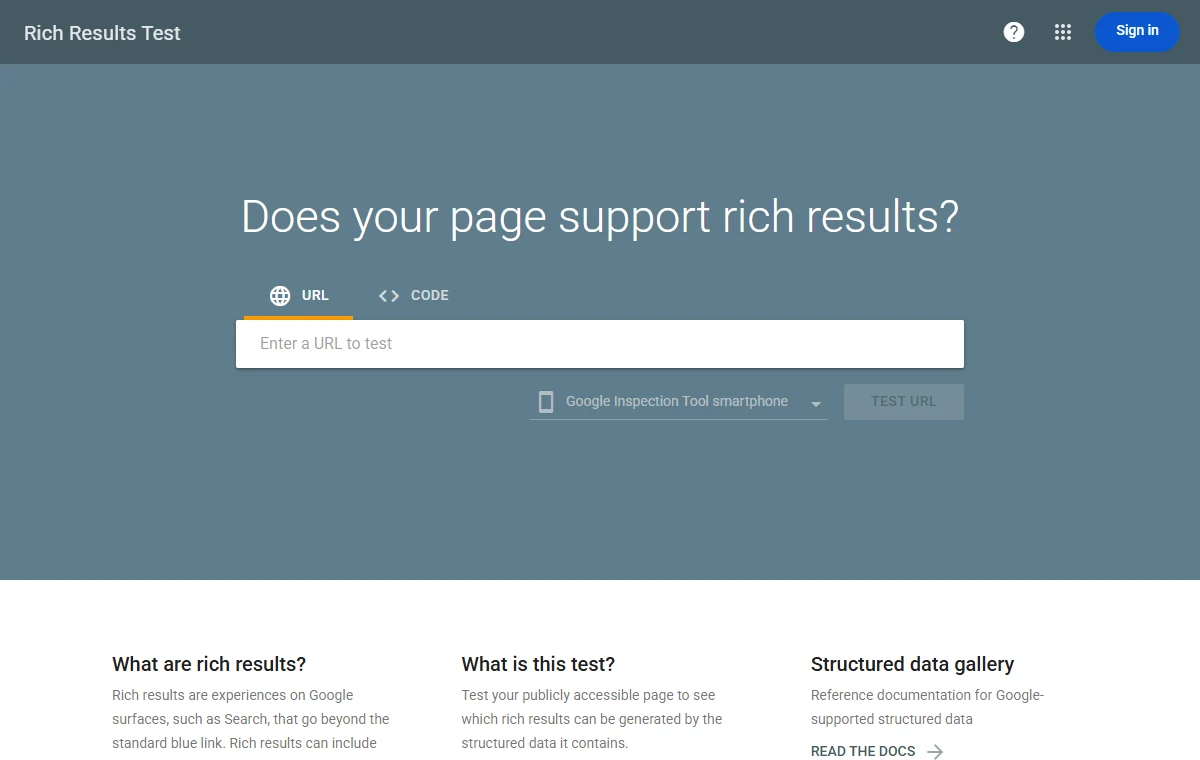
Screenshot guide: Paste the exact page URL into the test, then expand detected items in the result. This is the tool entry screen, not a validation result. Source: Google Rich Results Test.
How do you review backlinks and competing websites?
Review backlinks for relevant referring pages, broken linked destinations, and unusual patterns that deserve investigation.
Compare competitors serving the same audience and search intent to find useful content gaps. Treat third-party traffic estimates and link scores as investigation aids, rather than proof of revenue, search penalties, or a guaranteed opportunity.
For each priority query, compare the actual ranking pages. Record their format, offer, useful explanations, and credible evidence. A store doesn't need to copy a competitor's entire blog to improve a buying page.
When an externally linked URL is broken, check if its original content should be restored or if a relevant replacement exists. Don't buy links to close a numerical gap. Don't submit a disavow file just because software labels links “toxic.” Google says most sites don't need the disavow tool.
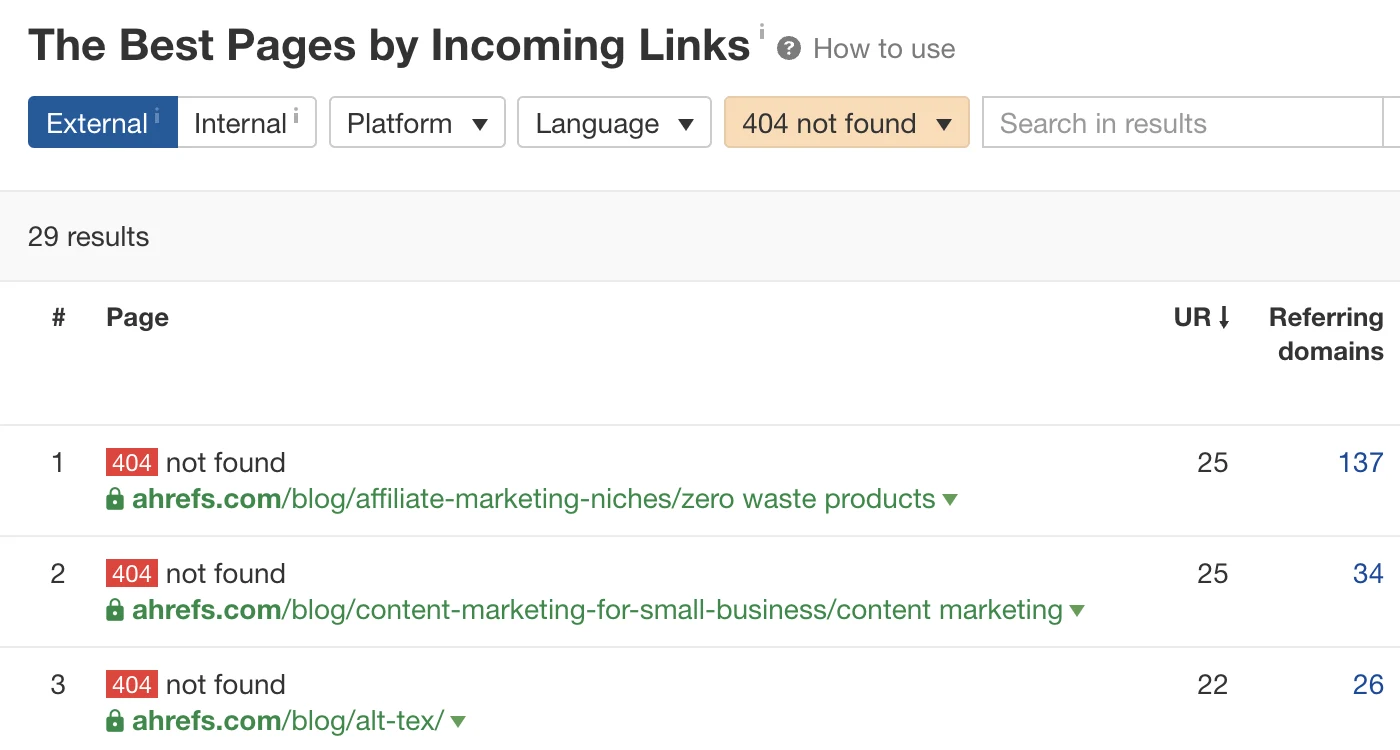
Screenshot guide: Review externally linked broken pages for restoration or a relevant replacement.
What extra checks do local and e-commerce businesses need?
Local businesses need checks that connect search visibility to accurate location information and inquiries. Online stores need checks covering product discovery, purchase information, and transaction measurement. Apply the relevant checks to the business model: a local service website and an international catalogue don't need identical audit priorities or reporting methods.
What should a local business audit?
A local business should review its Google Business Profile, website contact information, service or location pages, and enquiry process. Confirm that categories, opening hours, and location details accurately represent the business. Review genuine customer feedback and make sure a visitor can contact the correct branch or service team without confusion.
Check phone links and appointment forms. Review special opening hours and avoid creating near-identical city pages without useful local information. Google's local ranking guidance emphasizes accurate, complete business information; adding locations the business doesn't actually serve isn't a useful strategy.
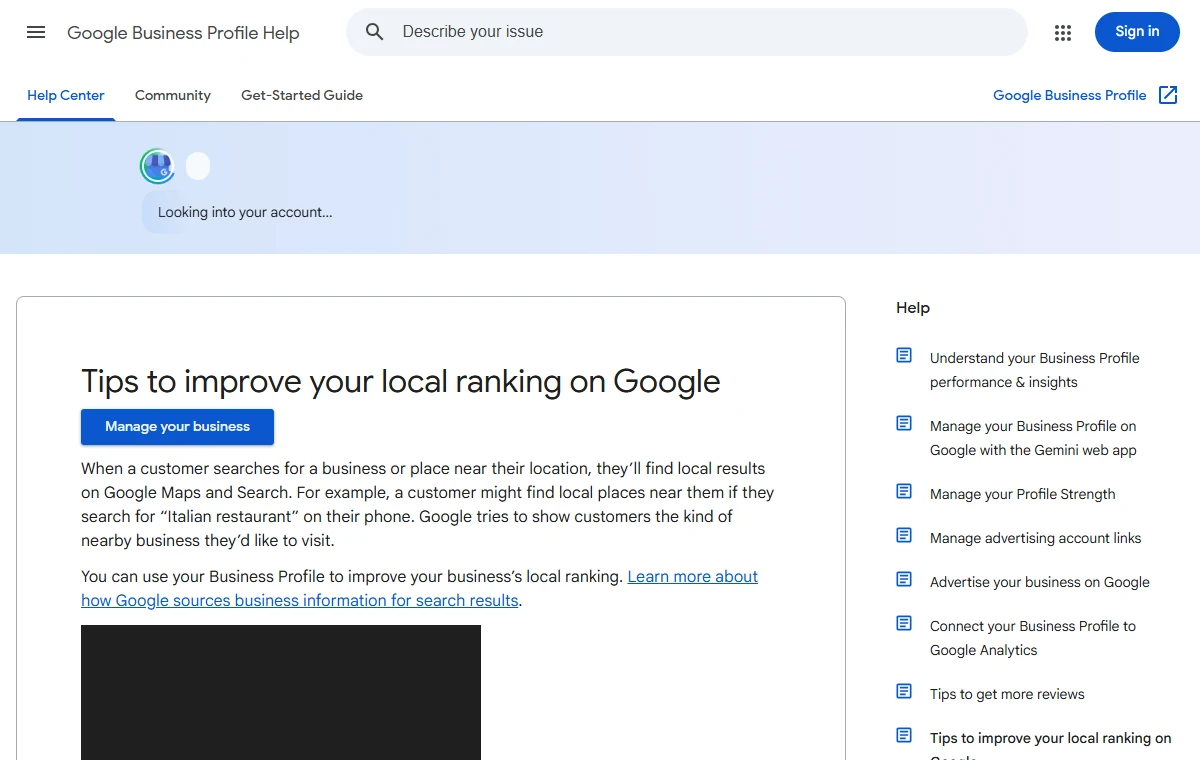
Screenshot guide: Use Google's guidance to check profile accuracy and relevance. This is a documentation screenshot, not a client listing. Source: Google Business Profile Help.
What should an online store audit?
An online store should audit product and collection discovery, indexable URL choices, product information, and the buying journey. Review variants, filters, stock handling, internal links, and purchase tracking. Separate search visibility problems from conversion issues so a checkout failure isn't mistakenly described as evidence that the store needs more keywords.
Check a sample across the main product templates. Confirm that filter combinations aren't generating uncontrolled duplicate URLs. Preserve useful out-of-stock pages when appropriate, and decide how discontinued items should be handled individually. Review shipping costs and returns information before assuming that low sales are solely an SEO problem.
Portfolio context: A purchase report adds commercial context to an audit. Check its date range, source scope, and transaction accuracy before using it to evaluate SEO. Source: Maaz portfolio.
How do you turn audit findings into an action plan?
Turn audit findings into an action plan by recording the evidence, affected pages, recommended change, owner, and verification method for each issue. Prioritise confirmed problems according to business impact, scope, and effort. Group repeated template problems together so the team can fix their cause instead of treating every URL separately.
How should you prioritize SEO fixes?
Prioritise fixes that remove verified obstacles on commercially important pages, especially when one change improves many affected URLs. Consider confidence in the diagnosis, implementation effort, and dependencies, as well as potential benefit. Mark uncertain findings for investigation rather than presenting every tool warning as an urgent repair with a predictable return.
|
Illustrative finding |
Business reason |
Action and verification |
|---|---|---|
|
Important category has accidental noindex |
Customers need this category in search |
Developer removes the unintended directive; the SEO lead retests access and monitors indexing |
|
Enquiry event fires before submission |
Lead reporting is inflated |
Analytics owner changes trigger; verify successful and failed submissions |
|
Useful buying guide has no category link |
Readers lack a relevant next step |
Editor adds contextual link; check destination and crawl discovery |
|
Minor description gaps on old updates |
Limited immediate commercial relevance |
Review after higher-impact work; don't inflate urgency |
Add an issue ID, affected URL list, owner, due date, and status to the working sheet. Keep the evidence attached to the issue so another person can reproduce it.
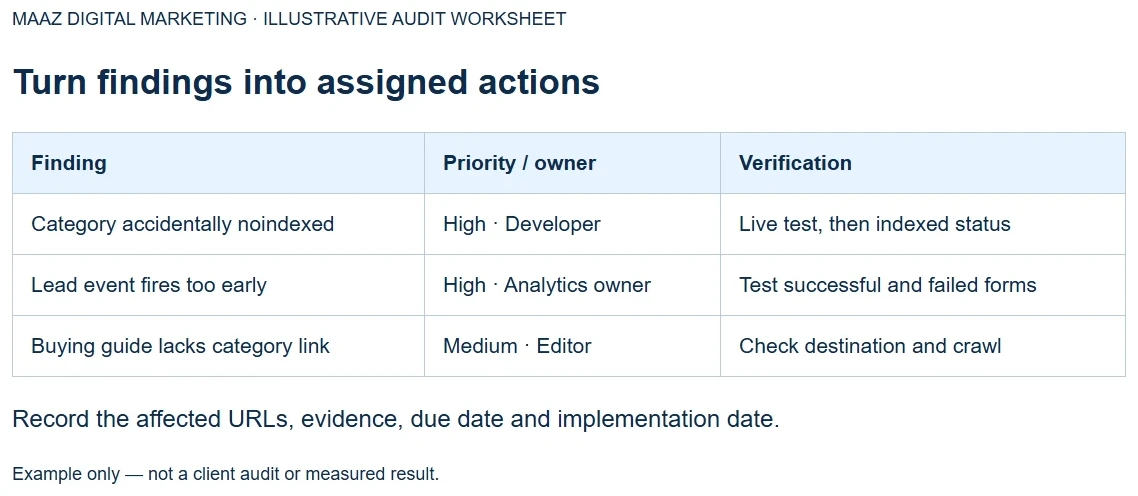
Screenshot guide: This original worksheet screenshot shows how findings can become assigned tasks. It is an illustrative template, not a client audit.
What belongs in a 30-, 60-, and 90-day plan?
A practical 30-, 60-, and 90-day plan sequences diagnosis, implementation, and follow-up around the team's capacity. Start with confirmed blockers and measurement problems, then improve important templates and content. Reserve time to verify changes and reassess priorities; the schedule is an implementation framework, not a promise of rankings by a deadline.
- Days 1–30: Validate findings, repair critical access problems, and establish trustworthy tracking.
- Days 31–60: Improve priority page templates, internal links, and commercial information.
- Days 61–90: Review outcomes, complete useful content work, and investigate remaining gaps.
Have a report full of issues but no clear starting point? Message Maaz Digital Marketing on WhatsApp to discuss the fixes that matter most to your business.
How do you confirm that your SEO fixes worked?
Confirm an SEO fix in two stages: verify that the intended technical or content change is live, then monitor the relevant search and business measures. Record implementation dates and compare suitable periods. Account for promotions, seasonality, and other changes before claiming that an audit recommendation caused a particular result.
For a removed noindex directive, first confirm the live page is eligible, then monitor Google's indexed information. For lead tracking, test submissions and reconcile a sample with business records. For an improved category page, monitor relevant queries and organic landing-page outcomes over time.
Keep an implementation log. If several major changes happen together, describe the combined outcome rather than inventing a precise contribution for each change. Google's SEO Starter Guide explains that changes take time to be reflected and don't always create a noticeable search impact.
How can Maaz Digital Marketing help with your website audit?
Maaz Digital Marketing can be your starting point for discussing a website audit tied to business goals. Share your website, target market, and main concern so the conversation focuses on relevant pages and outcomes. Review the agency's public portfolio, then agree on the audit scope, deliverables, and implementation responsibilities before starting.
Our portfolio includes SEO traffic and e-commerce sales examples across different industries. That gives you relevant work to review when choosing support. Individual screenshots show recorded metrics; they don't establish that an audit alone caused the results or predict what another website will achieve.
Portfolio context: This Search Console example appears in Maaz's gym accessories portfolio work. Ask for the relevant project context when comparing it with your own market and website.
Before commissioning work, agree on:
- The pages, markets, and platforms included in the audit.
- Access needed and any limitations of the review.
- An evidence-based report and prioritized implementation plan.
- Who will implement changes and how verification will be handled.
- Which business outcomes the reporting will track.
Ready to give your website a clear SEO action plan? Send your website URL and main business goal to Maaz Digital Marketing on WhatsApp. Let us know if you're focused on enquiries, appointments, or online purchases.
Frequently asked questions about business website SEO audits
Can I perform an SEO audit myself?
You can perform a basic SEO audit yourself by checking important pages in Search Console, reviewing analytics, and testing the customer journey. Bring in specialist help when the findings involve complicated rendering, migrations, tracking failures, or site-wide changes that you can't confidently diagnose and verify yourself.
Can I audit a website without paid SEO tools?
You can audit many important issues using Search Console, Google Analytics 4, PageSpeed Insights, and the Rich Results Test without buying an SEO subscription. Paid crawling and competitive research tools can extend the review, but useful conclusions still depend on correct settings, reliable evidence, and business context.
How long does a business website SEO audit take?
An SEO audit can take a few hours for a limited review or several days and longer for a complex website, depending on scope, access, and the investigation required. Request an estimate based on templates, markets, tracking complexity, and deliverables rather than assuming every audit needs the same time.
How often should a business website get an SEO audit?
Audit a business website when major changes, unexpected performance declines, or unresolved technical issues justify a review, and maintain routine monitoring between audits. A quarterly review can be a practical starting schedule for an actively maintained site, but the right frequency depends on its complexity and rate of change.
Will fixing every audit warning improve my rankings?
Fixing every audit warning won't necessarily improve rankings because tools flag conditions without fully understanding the website's purpose or business priorities. Confirm each finding, leave intentional configurations alone, and focus on changes that improve access, usefulness, or measurement; even a correctly implemented fix doesn't guarantee a ranking increase.